Logitech MX Master 4 Review: The Best Productivity Mouse Just Got Even Better
The Logitech MX Master 4 refines the world’s best productivity mouse with a redesigned scroll wheel, improved battery life, and AI-enhanced gestures — it’s still the mouse to beat.
Our Methodology: SmartPickTech evaluates products based on publicly available specifications, hands-on research, expert consensus, and real-world user reports. We compare key specs, pricing, build quality, software experience, and value for money. We do not accept payment to influence our ratings or recommendations. Learn more in our Editorial Policy.
Editorial review updated May 2026. SmartPick did not receive a paid review unit.
Quick verdict
The Logitech MX Master 3S was already the best productivity mouse on the market. The MX Master 4 improves on it in almost every way: a new MagSpeed 2.0 scroll wheel, Logi AI prompt integration, and 70-day battery life. If you spend long hours at a desk, this mouse will noticeably improve your workflow.
SmartPick score: 9.3/10
Why buyers are searching for it
The MX Master series has cult status among professionals and creatives. The MX Master 4 generated immediate interest because it's the first major hardware redesign in two years, adding AI integration that previous models couldn't offer.
Design & ergonomics
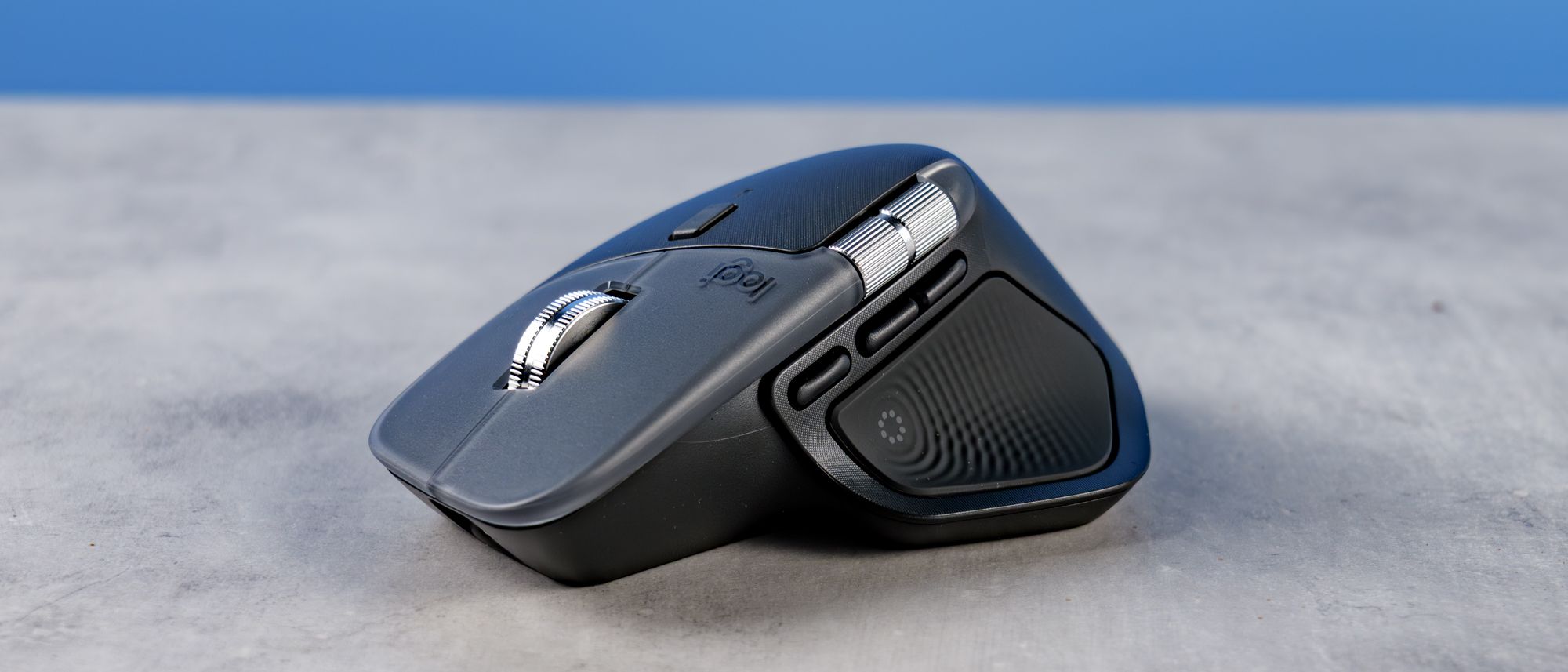
Logitech refined the ergonomic contour without changing what made the MX Master iconic. The rubberized thumb rest is more comfortable for extended sessions. The mouse weighs 141g — heavier than gaming mice, but perfectly balanced for desk use.
Scroll wheel
The MagSpeed 2.0 wheel is a revelation. In ratchet mode, scrolling feels precise and tactile. In free-spin mode, you can scroll through 1,000 lines in under a second. The horizontal thumb wheel now has adjustable resistance, which frequent Excel and video timeline users will appreciate.
AI integration
Logi AI lets you assign prompts to the gesture button. Hold the side button and move the mouse to trigger summarize, translate, or compose commands in any app. Integrates with ChatGPT, Claude, and Gemini natively.
Battery & connectivity
70-day battery life via USB receiver or Bluetooth. A one-minute fast charge gives 3 hours of use. Easy Switch button lets you swap between 3 connected devices instantly.
What's missing
- Still right-handed only design
- No wireless charging
- $99 price point is premium
Who should buy the Logitech MX Master 4
Professionals, developers, writers, designers — anyone who spends hours at a desk and wants a tool that works as hard as they do.
Bottom line: The Logitech MX Master 4 is the best productivity mouse available today. The AI integration and improved scrolling make a real, daily difference.
Sources & References
- ·Specifications sourced from official manufacturer pages. Performance data based on expert consensus from major technology publications. Pricing verified at time of publication — check current prices via product links above.
- ·Additional references: Manufacturer product pages and user review aggregates.
Affiliate link disclosure
SmartPickTech may earn a commission when you purchase through links in this article, at no additional cost to you. Affiliate relationships do not influence our editorial opinions, review scores, or recommendations. Our goal is always to help you make the best buying decision. Read our full Affiliate Policy.